6.5 Array objects with a hierarchical structure
You can create a layered object as an array.
Example
Form frm {
    Width = 800;
    Height = 600;
    Form fArray [3] {
        X = 10;
        Y = 10;
        Width = 190;
        Height = 100;
        Border = $ TRUE;
        LayoutMargin = 2;
        Button btn {
            X = 10;
            Y = 10;
            Width = 170;
            Height = 30;
            Title = "button";
        }
        Button btnArray [3] {
            X = 10;
            Y = 50;
            Width = 50;
            Height = 30;
            Layout = $ HORIZONTAL;
            LayoutMargin = 10;
            Title & = str (Index + 1) + " number ";
        }
    }
}
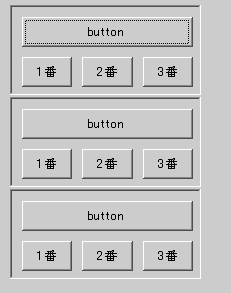
Even for arrays with such a structure, you can operate array elements by using the Insert and Delete methods.
Example
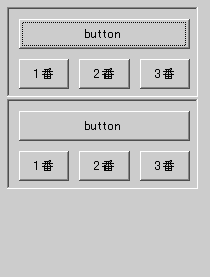
frm.fArray[1].Delete();
Display the result of running above:
Example
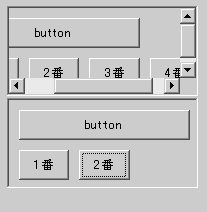
frm.fArray [1] .btnArray [2] .Delete ();
frm.fArray [0] .btnArray.Insert (1);
Display the result of running above:
The GET method from an arrayed object allows you to load and execute another CRS script for the array elements.
Example
Form frm {
    Width = 800;
    Height = 600;
    Form fArray [3] {
        X = 10;
        Y = 10;
        Width = 190;
        Height = 90;
        Border = $ TRUE;
        LayoutMargin = 2;
    }
    f [0] .Get ("frm1.crs");
    f [1] .Get ("frm2.crs");
    f [2] .Get ("frm3.crs");
}
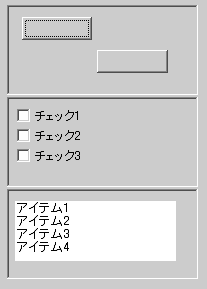
In this example, frm.fArray is an array object, but the checkboxes and buttons defined in the individually loaded CRS script are not related to the array in frm.fArray and are unique to each array element. Note that you will be connected to the object tree. Therefore, running frm.fArray.Insert () does not show any objects in the new elements of fArray .