Form Class
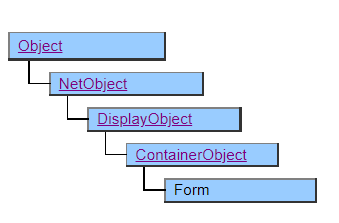
A class that displays a form.
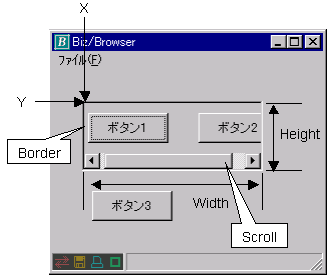
Place and manage another object at the bottom of the form. Subordinate objects are never displayed beyond the area of the parent Form object to which they belong , and are clipped by the size of the parent Form object.
Screen display example
Printer output using Doc class
Form objects represent areas on paper. Unlike when displayed on the screen, printing is performed without clipping even if the child object is located at a position beyond the display range of the Form object.
Default properties and ValueType
The default property is Value. ValueType can be String , Number , Fixed , Date , UString.
UString has been added from Ver.4.2.0
Restrictions when visual style is enabled
Nothing in particular
Precautions when scaling
◆ It is scaled by the scaling value of the upper Form object.
◆ The lower object is scaled by multiplying the scaling value of the upper Form object by its own scaling value.
Precautions for gesture operation Added since Ver.5.0.4
In Biz / Browser V 5.0.4.0 or later, the UseGesture property and Gesture event can be used to get the gesture by touch operation as an event.
For details, please refer to Gesture operation.