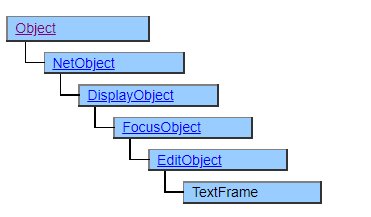
TextFrame Class
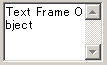
A class that displays a read-only multi-line display edit box. Use this when you want to display multi-line character data in an area with a scroll bar.
It looks similar to the EditBox class, but the user cannot enter or edit the editbox. If you use the EditBox class with non-editable settings, the background will be gray, but with the TextFrame class you can use it as it is.
Also, if you set the Active property to $FALSE, you can display it as an object that does not receive focus (without becoming inactive) as it looks.
The character to be displayed is the value of the Value property. String, Number, Fixed, Date, and UString can be specified for ValueType, but two types, String and UString, are useful for the purpose of using the edit box.
In the String type specification, the internal character code is a platform-dependent multi-byte character code (Shift-JIS in the Japanese language environment).
In the UString type, the internal character code is Unicode, which makes it possible to handle a wider variety of characters.
In Windows98 and ME, the Unicode input function at the OS level is not supported, so it is not possible to input or display Unicode-specific characters.
Screen Display Example
Printer output by Doc class
Enclose the characters in a square and display them.
Even if the UString type is specified, all characters are converted to multibyte when printing, so Unicode-specific characters are printed as “?”.
Default properties and ValueType
The default property is Value. ValueType can be String, Number, Fixed, Date and UString.
Added UString since Ver.4.2.0
Restrictions when visual style is enabled
Nothing in particular
Precautions when scaling
Nothing in particular