SplitterFrame Class
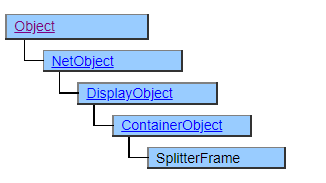
A class that displays split frames. A separate form can be placed in each frame and the user can resize it to any size with the touch of a mouse.
The SplitterFrame class works in tandem with the SplitterForm class.
To set the form to display, you need to place the SplitterForm class or its derived class objects in the structure defined below the SplitterFrame object.
The SplitterFrame class and SplitterForm class are similar in usage and display results to the combination of HTML < FRAMESET > and < FRAME >.
You can create multiple split panes by placing another SplitterFrame object below the SplitterFrame object.
Screen Display Example
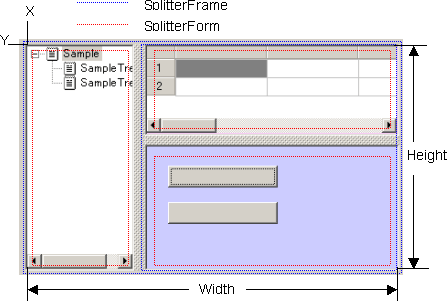
SplitterFrame SplitterFrame1 {
    SplitDirection = $HORIZONTAL;
    SplitterForm SplitterForm1 {
        /* 左 */
    }
    SplitterFrame SplitterFrame2 {
        SplitDirection = $VERTICAL;
        SplitterForm SplitterForm2 {
            /* 右上 */
        }
        SplitterForm SplitterForm3 {
            /* 右下 */
        }
    }
}
Printer output by Doc class
Not subject to printing.
Default properties and ValueType
The default property is Value. ValueType can be String, Number, Fixed, Date and UString.
Added UString since Ver.4.2.0
Restrictions when visual style is enabled
Nothing in particular
Precautions when scaling
◆ When the SplitterFrame is expanded to eliminate the error of the internal effective area at the time of expansion, it is adjusted to a size slightly smaller than the logically calculated value.