FlexRow Class
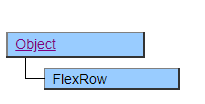
The FlexRow class is a class that represents the individual rows displayed in FlexView.
A FlexCell derived object placed below the FlexRow object allows you to access individual cells in the row pointed to by the FlexRow object.
The FlexRow object can be obtained as the return value of the FlexView.InsertRow, FlexView.DeleteRow, FlexView.GetRow methods, or as additional information for various events. It cannot be generated directly from a script.
After retrieving a FlexRow object, any operation that involves adding or removing rows can affect the row pointed to by the FlexRow object. The following operations and contents that are affected are explained.
If delete a row before the row pointed to by FlexRow
FlexRow points to the previous row by the number of deleted rows.
If delete a row after the row pointed to by FlexRow
FlexRow is not affected.
If delete the row pointed to by FlexRow
FlexRow will be disabled and no row will be pointed to.
If add a new row before the row pointed to by FlexRow
FlexRow points to the next row by the number of added rows.
When the column structure is changed
FlexRow will be disabled and no row will be pointed to.
When FlexView is deleted
FlexRow will be disabled and no row will be pointed to.
If the FlexRow object is in the invalid state, the InvalidState property is set to $TRUE and the method call fails.
Usage example Change the background color of Label1 of the existing line depending on the condition
var row = FlexView1.GetRow();
while( !row.end ) {
    if( row.Label1.Value >= 0 ) {
        row.Label1.BgColor = $WHITE;
    } else {
        row.Label1.BgColor = $RED;
    }
    row.MoveNext();
}
Default properties and ValueType
The default property is Position. The ValueType specification is invalid.