ProgressBar Class
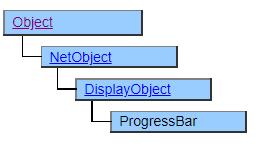
A class that displays a progress bar. The progress bar is a bar that extends horizontally or vertically and is used to display work progress.
There are two methods, one is to place it on a Form object and display it on the screen, and the other is to pop it up in a separate window.
Screen Display Example
BarStyle = $BLOCK

BarStyle = $VBLOCK

BarStyle = $SMOOTH

BarStyle = $VSMOOTH

Progress bar pop-up display
With the Popup method, the progress bar can be displayed in a separate window.

The ProgressBar object for pop-up display is created by the Create method.
The display position and size of the window to be displayed in the pop-up are specified by the X, Y, Width, Height property, and Position property of the ProgressBar object.
The Title, AutoClose, Position, PopupBGColor, PopupFGColor, Message, and CancelCaption properties are pop-up-only properties that set the look and behavior of the pop-up window.
Printer output by Doc class
Not subject to printing.
Default properties and ValueType
The default property is Value. ValueType can be String, Number, Fixed, Date and UString.
Added UString since Ver.4.2.0
Restrictions when visual style is enabled
◆ The BarColor and BgColor properties are disabled because they give priority to the theme display.
Precautions when scaling
Nothing in particular