FlexLabel Class
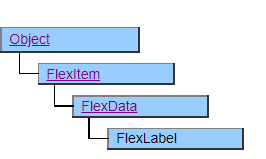
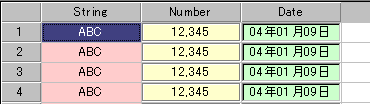
The FlexLabel class is a class that defines how cells in FlexView are displayed, and the corresponding cells are displayed like labels.
Place the FlexLabel object under the FlexRecord, FlexColumnSet, or FlexRowSet objects.
If specify the verticalAlign property, the characters in the FlexLabel cannot be wrapped. If do not specify the verticalAlign property, the characters in the FlexLabel are wrapped.
If the character does not fit within the right edge of the display range, it will be displayed on the next row with a line break. The line wrap is considered for the line break position, and if no word break is found in the alphabet, the line break is not performed.
Screen Display Example
Layout Constraint
FlexLabel objects cannot be placed to the left (previous in definition order) of objects in the FlexHeader class and its derived classes.
When located as a child of FlexRowSet and FlexColumnSet, it cannot co-exist with objects in the FlexHeader class and its derived classes.
Default properties and ValueType
The default property is Value. ValueType can be String Number, Fixed, Date and UString.
UString have been added since Ver.4.2.0