HtmlView Class
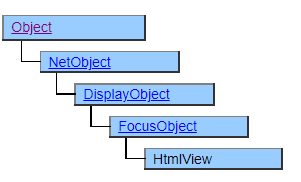
A class that displays HTML on Biz / Browser.
One object can display one web page.
In addition to displaying a normal website, it can also be used as a label to display HTML by assigning it to the Value property.
Security restrictions can be set by setting the AllowAction property. This makes it possible to build secure web applications, unlike traditional web browser-based applications.
It uses the web components that come with Windows as the HTML execution engine.
The displayable HTML specifications depend on the installed web components. Therefore, the operation result may not match with Internet Explorer and other Web browsers.
Therefore, HtmlView cannot guarantee that existing websites will behave like other browsers. When displaying existing HTML contents or websites, be sure to check the operation on Biz / Browser.
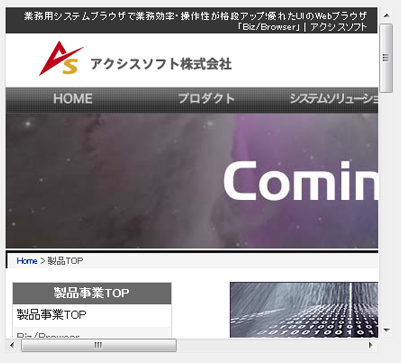
Screen Display Example
Standard keyboard operation and KeyDown event
HtmlView defines the following special keys as class-specific keys.
| Key | Action |
|---|---|
| Arrow keys | Page scrolling Input field cursor operation, selection operation The same applies to the Shift key and Ctrl key. |
| PageUp , PageDown keys | Page scrolling The same applies to the Shift key and Ctrl key. |
| Home , End key | Move to the top of the page, to the end of the page Input field cursor operation, selection operation The same applies to the Shift key and Ctrl key. |
| Tab key | Go to the next link or input field Move to the previous link or input field with the Shift key Ctrl key disabled |
| Space key | Scroll down Scroll up with the Shift key |
| Enter key | Go to the selected link The same applies to the Shift key and Ctrl key. |
| Insert key | Valid in the input field Paste with Shift key |
| Delete key | Valid in the input field Cut with the Shift key |
| BackSpace key | Valid when input field, edit operation |
| Ctrl + X , C , V , A , Z | Valid when input field, edit operation |
The above key does not generate the KeyDown event of the parent Form when pressed. Specifying AltKey properties such as Button on the same Form is also invalid.
Other keys will raise the KeyDown event of the parent Form if they are not used to edit the data. Control by key operation should be performed by the OnKeyDown event handler of the parent Form.
Printer output by Doc class
Not subject to printing.
Unique features of the HtmlView class include print preview ( Preview method) and print ( Print method) of the displayed content.
Default properties and ValueType
The default property is Value. The value type specification is invalid.
Restrictions
- For security reasons, JavaScript access to cross-domain is restricted.
- Warnings and script errors that are displayed when installing ActiveX are not output.
- It is not possible to display a dialog or a separate window by alert.
The operation can be changed by setting since Ver.5.0.3 - The context menu is not displayed.
- No warning dialog is displayed, and it works as if “No” or “Cancel” is selected.
The operation can be changed by setting since Ver.5.0.4 - The security zone and available ActiveX share the Internet Explorer settings, so it depends on those settings.
Session Shared Mode
Normally , the HtmlView class communicates in its own session regardless of the Biz / Browser communication session. This reduces the operating load.
However, in some cases you may want to share a session with Biz / Browser , such as taking over cookies .
If you set the static method SetSharedMode of the HttpSession class, the session used by the HtmlView class will be shared with Biz / Browser .
HtmlView in session sharing mode has the following restrictions.
-
Communication is continuous in a single session, which apparently slows down the display of content.
-
Cookies are retained only during the session and are not stored on disk
-
Restricted movement to different domains
Restrictions when visual style is enabled
◆ Visual style specification is invalid
Precautions when scaling
◆ The displayed content is not subject to scaling.